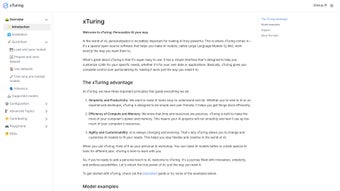

Download Xturing – Open‑Source AI Personalization Tool for LLMs
Intro
Xturing is an open‑source AI personalization library that lets developers and AI enthusiasts fine‑tune large language models (LLMs) with unprecedented ease. Released under the permissive Apache 2.0 license, Xturing blends a clean graphical user interface (GUI) with a powerful command‑line interface (CLI), offering a dual‑playground that satisfies both visual learners and power users who prefer scriptable pipelines. Whether you are building a domain‑specific chatbot, adapting a model for legal document summarisation, or experimenting with novel prompting strategies, Xturing provides the scaffolding you need to move quickly from prototype to production.
The library supports popular transformer architectures such as GPT‑2, LLaMA, Bloom, and many others, while also allowing custom model wrappers for proprietary or emerging models. Its modular design encourages community contributions, so you can extend the core with new data pipelines, evaluation metrics, or LoRA adapters. Frequent updates, thorough documentation, and an active GitHub community keep Xturing aligned with the fast‑moving AI landscape.
In addition to its technical strengths, Xturing emphasizes security: releases are signed, checksums are provided, and the update mechanism is built to protect against tampering. The result is a free, secure, and feature‑rich tool that democratizes LLM personalization without imposing licensing headaches or hidden costs. If you are looking for a versatile, cross‑platform solution that balances accessibility with depth, Xturing is ready to empower your AI projects today.
Key Features
Xturing’s feature set is designed to cover the entire model‑personalisation lifecycle—from data creation to deployment—while keeping the user experience intuitive. Below you will find a detailed breakdown of the most impactful capabilities that make Xturing stand out in the crowded AI‑tool market.
- Multi‑Model Support: Native compatibility with GPT‑2, LLaMA, Bloom, and other transformer‑based LLMs, enabling you to switch back‑ends without rewriting code.
- Dataset Generation Engine: Built‑in utilities for creating synthetic training data, including prompt‑response pairing, augmentation, and automatic labeling.
- Evaluation Suite: Comprehensive metrics (BLEU, ROUGE, Perplexity, custom scoring) plus a visual dashboard that tracks model performance over time.
- Resource‑Optimized Training: Dynamic allocation of GPU memory, mixed‑precision training, and CPU fallback options to ensure efficient use of hardware.
- Dual Playground: A web‑based UI for drag‑and‑drop experiments and a full‑featured CLI for scriptable pipelines and CI/CD integration.
- Advanced Configuration: YAML‑based config files, hyper‑parameter sweeps, and support for LoRA adapters to fine‑tune large models with limited data.
- Open‑Source & Community‑Driven: Apache 2.0 licensing, transparent road‑map, contribution guidelines, and a vibrant GitHub community.
- Extensive Documentation: Step‑by‑step tutorials, API reference, example notebooks, and video walkthroughs for beginners and experts alike.
- Secure Update Mechanism: Signed releases and checksum verification to guarantee integrity when downloading updates.
- Cross‑Platform Compatibility: Works on Windows, macOS, and major Linux distributions, with Docker images for containerised deployments.
Pros
- Free and open‑source, eliminating licensing costs.
- Intuitive UI lowers the entry barrier for non‑technical users.
- CLI enables automation and integration into existing pipelines.
- Resource‑aware training reduces hardware expenses.
- Active community provides rapid bug fixes and feature requests.
Cons
- Steeper learning curve for advanced LoRA and hyper‑parameter tuning.
- Documentation, while comprehensive, can feel fragmented for niche use‑cases.
- GPU‑accelerated training still requires compatible hardware.
- Limited out‑of‑the‑box support for newer models released after the last major update.
- CLI commands may differ slightly across operating systems, requiring careful reading of platform‑specific docs.
Installation, Usage & Compatibility
Installing Xturing is straightforward on all major operating systems. The project provides pre‑built Python wheels, a Docker image, and a simple pip installer. For most users, the recommended method is via pip:
pip install xturingWindows, macOS, and Linux users can also pull the official Docker container:
docker pull xturing/xturing:latestAfter installation, you can launch the UI playground with a single command:
xturing ui
The CLI offers the same functionality through sub‑commands such as xturing train, xturing evaluate, and xturing dataset generate. Each sub‑command accepts a YAML configuration file, allowing you to version‑control your experiments. Below is an example of a minimal train.yaml that fine‑tunes a GPT‑2 model:
model:
  name: "gpt2"
  path: "./models/gpt2"
training:
  epochs: 3
  batch_size: 8
  learning_rate: 5e-5
resources:
  gpu: true
  mixed_precision: true
Compatibility details:
- Windows: Windows 10 (1809) or later, PowerShell 7+, optional CUDA toolkit for GPU acceleration.
- macOS: macOS 11 (Big Sur) or later, Homebrew for dependency management, Metal support for GPU (Apple Silicon).
- Linux: Ubuntu 20.04 LTS, Debian 11, Fedora 34+, CUDA 11.4+ for NVIDIA GPUs, or ROCm for AMD GPUs.
The library also ships with a requirements.txt that pins compatible versions of PyTorch, Transformers, and other core dependencies. For users on constrained hardware, you can enable CPU‑only mode by setting resources.gpu: false in the config file. The UI includes a “System Check” tab that reports available devices, driver versions, and any missing libraries, helping you troubleshoot before launching a training job.
Regular updates are delivered through the same pip channel; you can upgrade safely with:
pip install --upgrade xturingSecurity‑focused users should verify the GPG signature of the release tarball, a step documented in the official GitHub README. This ensures the binary you download has not been tampered with, aligning with best practices for secure software distribution.
Frequently Asked Questions
Can I use Xturing with proprietary models?
Yes. While Xturing ships with open‑source model wrappers, you can create a custom adapter for any model that follows the Hugging Face Transformers API. This includes proprietary or licensed models, provided you have the appropriate usage rights. The adapter simply needs to expose the standard forward and generate methods, after which all Xturing features—dataset generation, training, evaluation, and deployment—become available.
Do I need a GPU to fine‑tune large models?
A GPU dramatically speeds up training, especially for models larger than 1 B parameters. However, Xturing supports CPU‑only training with mixed‑precision emulation, allowing you to experiment on modest hardware. Expect longer training times and higher memory consumption in CPU mode, but the same configuration files and pipelines work unchanged. For very large models, you may want to consider cloud GPU instances or remote training services.
Is there a limit to the size of datasets I can generate?
No hard limit exists; the dataset generator writes directly to disk in streaming mode, so you can create arbitrarily large corpora limited only by storage capacity. For very large runs, the UI offers progress monitoring, automatic checkpointing, and the ability to pause/resume generation without data loss. You can also pipe the output directly into cloud storage buckets if local disk becomes a bottleneck.
How does Xturing handle model versioning?
Each training run produces a versioned model artifact stored under ./models/. The UI provides a “Model Registry” tab where you can compare, promote, or roll back versions, facilitating reproducible deployments. Version metadata—including hyper‑parameters, dataset hash, and evaluation scores—is saved alongside the model files, making audit trails straightforward.
Is Xturing suitable for production deployment?
Absolutely. After fine‑tuning, you can export the model in ONNX, TorchScript, or Hugging Face formats, making it compatible with common serving stacks such as FastAPI, TorchServe, or Triton Inference Server. The library also includes a lightweight inference API that can be containerised for rapid prototyping, and the exported artifacts can be integrated into larger micro‑service architectures without additional conversion steps.
Can I run Xturing inside a Jupyter notebook?
Yes. All core functionalities are exposed as Python functions, so you can import the library in a notebook and call training, evaluation, or dataset generation directly. The documentation includes several notebook examples that demonstrate end‑to‑end workflows, from data creation to model export, making it easy to experiment interactively.
Conclusion & Call to Action
Xturing stands out as a versatile, free, and secure AI personalization library that bridges the gap between experimentation and production. Its dual‑playground approach, rich feature set, and thoughtful resource management make it an attractive choice for developers looking to tailor LLMs without getting lost in complex infrastructure. Whether you are building a niche chatbot, fine‑tuning a research model, or simply exploring the possibilities of generative AI, Xturing offers the tools you need to iterate quickly and deploy confidently. The open‑source nature ensures you stay in control of your data and model licenses, while the active community guarantees ongoing improvements and timely support.
Ready to unleash the full potential of your language models? Download Xturing today, follow the quick‑start guide, and start personalising AI on your own terms.
Xturing delivers a balanced mix of accessibility and power. The UI lowers the barrier for newcomers, while the CLI satisfies seasoned developers looking for automation. Minor documentation gaps and hardware requirements are outweighed by the library’s flexibility and zero cost. Overall, a strong 4.7/5 rating.



.png)



